Chunk Borders, Region MCA Files & World Reset Guide
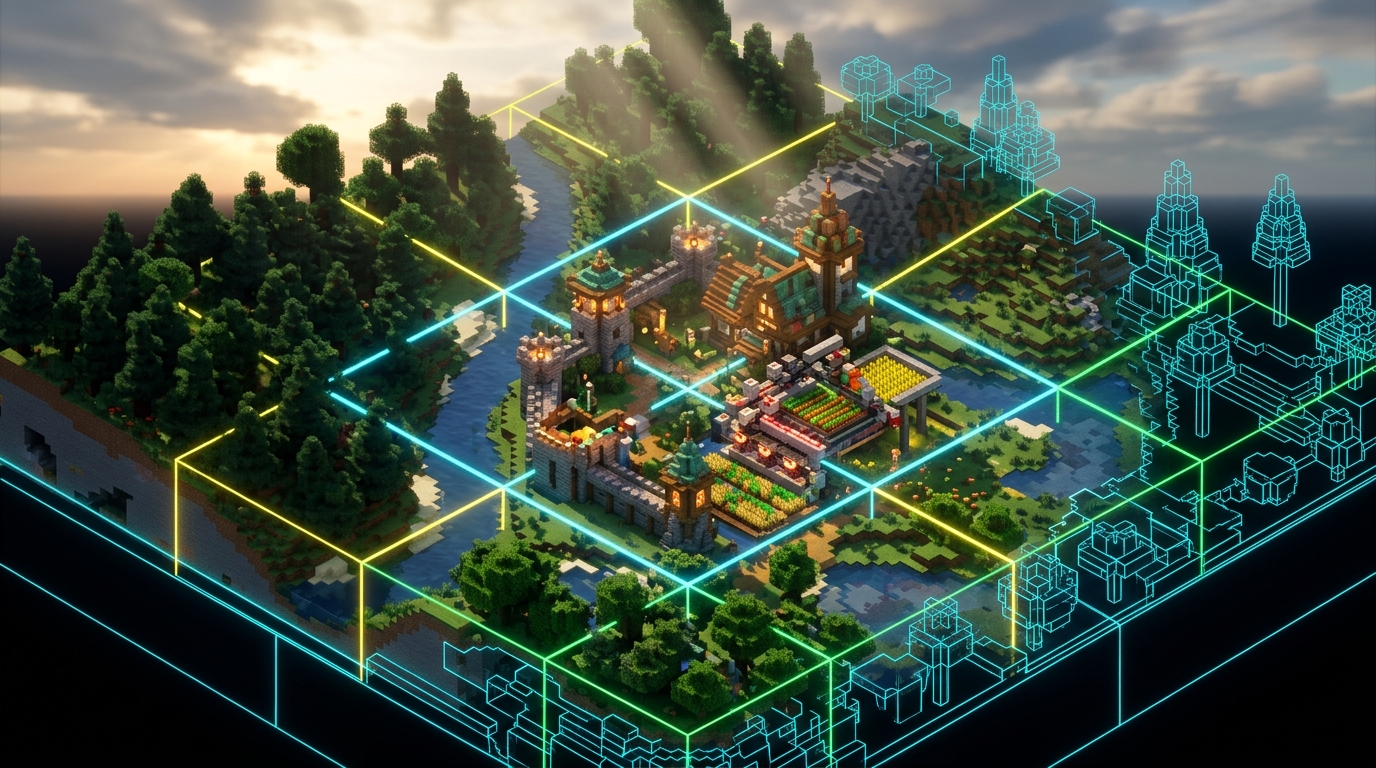
Every Minecraft chunk is a 16×16 column spanning Y = -64 to Y = 319 (24 vertical 16×16×16 subchunks). Anvil region files (r.X.Z.mca) store 32×32 chunks (512×512 blocks) using the formula Region = floor(Block / 512). To trim bloated world saves or generate new 1.21+ structures close to spawn, filter chunks by InhabitedTime < 5 minutes in MCA Selector or delete specific r.X.Z.mca files across region/, entities/, and poi/ folders simultaneously.
1. Chunk Grid Architecture, Subchunks & F3+G Wireframes
Minecraft does not load or save worlds as a continuous plane of blocks. Instead, the engine partitions every dimension into a deterministic grid of 16×16 horizontal columns called chunks. In modern Overworld generation (1.18 through 1.21+), each chunk stretches 384 blocks vertically from Y = -64 to Y = 319, containing exactly 98,304 individual block coordinates.
For rendering, skylight propagation, and mob spawning sweeps, the engine further slices every chunk vertically into 24 cubic subchunks measuring 16×16×16 blocks (4,096 blocks per subchunk). If a subchunk contains only air, the server skips allocating its block palette array in RAM entirely—which is why building sky farms high above the terrain without unnecessary solid roofs preserves server performance.
In Java Edition, pressing F3 + G toggles the built-in chunk border wireframe overlay. Each color in that 3D cage communicates a different engine boundary:
- Yellow Vertical Lines: Mark the
16×16boundaries of the exact chunk you are currently standing in, extending from bedrock to build height. - Cyan (Light Blue) Horizontal Grid: Marks the
16×16×16vertical subchunk boundaries at every multiple of 16 on the Y-axis (Y = -64, -48, -32, -16, 0, 16, 32...). Keeping multi-floor mob farms aligned inside fewer subchunks minimizes section light-update overhead. - Red Vertical Corner Lines: Appear at the outer perimeter where four 32×32 chunk region files (
512×512blocks) meet. Crossing a red line means your character has stepped into a completely differentr.X.Z.mcafile on disk.
Bedrock Edition & Alignment Risks: Bedrock Edition does not have a native F3 + G shortcut. To find exact chunk edges on consoles, mobile, or Windows Bedrock without third-party shader packs, enter your current coordinates into our Minecraft Chunk & Region Calculator. Aligning redstone machines inside a single chunk is critical in both editions: if a hopper line, slime-block flying machine, or observer clock crosses a chunk border and one half unloads at the edge of your simulation distance, the contraption will jam, lose tick synchronization, or break apart.
2. Anvil Region Files (r.X.Z.mca) & Bitwise Shift Math
Opening and closing thousands of tiny single-chunk files every time a player flies with Elytra would cripple disk I/O. To avoid filesystem bottlenecks, Minecraft's Anvil storage format groups chunks into 32×32 chunk super-grids called Regions. Every region covers 1,024 chunks or 512×512 horizontal blocks (262,144 surface blocks per file) and is stored on disk as r.X.Z.mca.
Internally, the game converts block coordinates into chunk and region indices using signed integer bit-shifting (which performs floor division by powers of two, ensuring negative coordinates round down toward negative infinity rather than zero):
Chunk X = floor(Block X / 16) = Block X >> 4Region X = floor(Chunk X / 32) = floor(Block X / 512) = Block X >> 9Local Block Offset (0..15) = ((Block X % 16) + 16) % 16 = Block X & 15
Example: Block X = -250, Z = 1,200 → Chunk (-16, 75) → Region r.-1.2.mca (covering blocks X: -512 to -1, Z: 1024 to 1535).
Starting in Minecraft 1.17+, Mojang decoupled entity and point-of-interest data from terrain blocks so the server can tick chunks on separate threads. As a result, a single region's data is split across three parallel folders inside each dimension directory:
| Dimension | Terrain Blocks Path | Mobs & Entities Path | Villager POI & Portals Path |
|---|---|---|---|
| Overworld | world/region/r.X.Z.mca |
world/entities/r.X.Z.mca |
world/poi/r.X.Z.mca |
| The Nether | world/DIM-1/region/r.X.Z.mca |
world/DIM-1/entities/r.X.Z.mca |
world/DIM-1/poi/r.X.Z.mca |
| The End | world/DIM1/region/r.X.Z.mca |
world/DIM1/entities/r.X.Z.mca |
world/DIM1/poi/r.X.Z.mca |
⚠️ Critical Three-Folder Sync Rule: Never delete a file from
region/r.X.Z.mcawhile leaving the matchingentities/r.X.Z.mcaorpoi/r.X.Z.mcaintact. Doing so regenerates fresh terrain while dropping old villagers, chests-in-boats, or phantom Nether portal links into solid stone—or conversely strips all villagers and item frames out of an existing player base.
3. Pruning Unused Chunks with MCA Selector (InhabitedTime)
On an active SMP server, ten players flying with Elytra and firework rockets in search of Trial Chambers or Pale Gardens can generate over 50,000 transient chunks in a single weekend. Because each populated .mca region file occupies 4 MB to 12 MB, world saves quickly balloon past 25–50 GB, slowing down daily backups and forcing players to travel 15,000+ blocks away whenever a new Minecraft game drop adds biomes or structures.
The safest way to prune unexplored wilderness without touching player bases is filtering chunks by their NBT tag InhabitedTime using the open-source tool MCA Selector. Every game tick (0.05 seconds) that at least one player stands inside a chunk, the server increments that chunk's InhabitedTime counter by +1.
| InhabitedTime Threshold | Real-Time Equivalent | What It Captures | Safety vs Disk Savings Trade-Off |
|---|---|---|---|
< 100 ticks |
< 5 seconds | Pure visual render-distance edges & fast Elytra fly-overs | Maximum Safety: Zero risk to builds; reduces world size by ~25–35%. |
< 1,200 ticks |
< 1 minute | Sprint/boat transit corridors & briefly scouted terrain | Recommended Standard: Ideal before a major update; cuts size by ~45–60%. |
< 6,000 ticks |
< 5 minutes | Looted shipwrecks, temporary night shelters, mining tunnels | Aggressive Trim: Reclaims 65–80% disk space, but requires a palette filter for passive pipes. |
= 0 ticks |
0 seconds | Chunks pre-generated by Chunky or glimpsed on horizon | Pre-Gen Reset Only: Removes untouched buffer chunks without altering any player path. |
Safe Pruning Workflow in MCA Selector:
- Stop the Server & Back Up: Never modify
.mcafiles while the server JVM is running, as the region file cache in RAM will overwrite your changes or corrupt chunk headers. - Map Protected Base Regions: Enter your spawn town, Nether hub, and major farm coordinates into the Chunk & Region Calculator to record their exact
r.X.Z.mcafilenames. - Apply a Compound Filter Query: In MCA Selector (Tools → Filter Chunks), combine time and block-palette protection so long-distance ice highways or redstone lines with low player dwell time are never erased:
InhabitedTime < "3 minutes" AND Palette != "minecraft:chest, minecraft:barrel, minecraft:shulker_box, minecraft:packed_ice, minecraft:blue_ice, minecraft:hopper, minecraft:rail, minecraft:powered_rail"Once the matching chunks highlight in red, manually deselect your main spawn area (`Shift + Right Click`), then choose Selection → Delete Selected Chunks. MCA Selector automatically cleans the corresponding entries in region/, entities/, and poi/ at the same time.
4. Resetting Specific Regions, End Cities & Nether Chunks
Sometimes you do not need granular per-chunk filtering—you simply want to wipe an entire 512×512 region file or refresh resource dimensions on a long-running SMP:
- Refreshing Outer End Islands (Fresh Elytras & Shulkers): In
world/DIM1/, the central End Dragon island and main return portal live inside the four core regions surrounding(0, 0):r.0.0.mca,r.-1.0.mca,r.0.-1.mca, andr.-1.-1.mca(covering blocks-512to+511). Because the outer End ring begins at1,000blocks from the origin, you can safely delete all region files outside ther.-2.-2.mcator.1.1.mcasquare (unless players built an Enderman XP farm or base out there) to let End Cities and End Ships regenerate cleanly. - Targeted Region File Reset via CLI: If a specific region suffers a chunk corruption bug or hosts an abandoned griefed area at
X = 2,400, Z = -1,800, calculate its region index (floor(2400 / 512) = 4,floor(-1800 / 512) = -4→r.4.-4.mca) and remove all three files while the server is offline:
rm world/region/r.4.-4.mca world/entities/r.4.-4.mca world/poi/r.4.-4.mca5. Pre-Generating Chunks with Chunky After a World Trim
Pruning unused chunks carries one important performance trade-off: as soon as players log back in after a Minecraft update and fly across the newly deleted borders, the server CPU must run full noise-router terrain generation, biome decoration, and lighting from scratch. Generating fresh 1.21+ chunks on the fly is the single heaviest cause of server tick lag (dropping below 20.0 TPS).
To prevent post-reset lag spikes, install the Chunky plugin/mod (available for Paper, Purpur, Fabric, and NeoForge) and pre-generate a clean radius overnight right after upgrading the server jar:
chunky world world
chunky center 0 0
chunky radius 4000
chunky start
Pre-generating a 4,000 × 4,000 radius (an 8,000 × 8,000 block square) writes roughly 240,100 chunks (~256 region files, or ~2.2 GB on disk) cleanly in the background. Combine this with proper simulation distance limits from our Chunks & Simulation Distance Guide and JVM garbage-collection flags from our SMP Server RAM & Engine Guide for a locked 50 ms tick loop.
6. Key World Maintenance Takeaways
- Memorize the Powers of Two:
1 Chunk = 16×16 blocks (shift >> 4);1 Subchunk = 16×16×16 blocks;1 Region (r.X.Z.mca) = 32×32 chunks = 512×512 blocks (shift >> 9). - Never Split Redstone Across Yellow F3+G Lines: Keep observer clocks, hoppers, and villager breeders strictly inside a single chunk or verify the bounding box in the Chunk Calculator.
- Always Delete
region/,entities/, andpoi/Together: In Minecraft 1.17–1.21+, leaving old entity or POI files behind causes missing villagers or ghost portal links. - Combine
InhabitedTimewith a Block Palette Filter: When pruning worlds in MCA Selector, excludeblue_ice,chest,shulker_box, andpowered_railso fast transit tunnels are never deleted.
7. Frequently Asked Questions (FAQ)
How do I show chunk borders in Minecraft Java and Bedrock Edition?
In Minecraft Java Edition, press F3 + G on your keyboard (or Fn + F3 + G on compact 60% laptops) to toggle the 3D chunk border wireframe. Bedrock Edition has no built-in shortcut, so you must divide your X and Z coordinates by 16 in our Chunk Calculator or install a chunk-border resource pack.
How many chunks and blocks are in one Minecraft .mca region file?
Each Anvil region file (r.X.Z.mca) stores a 32×32 grid of chunks, which equals 1,024 chunks total or a 512×512 block horizontal area. At full Overworld height (384 blocks from Y = -64 to Y = 319), one region encompasses up to 100,663,296 block coordinates.
How do I calculate which r.X.Z.mca file contains my base coordinates?
Divide your block X and block Z coordinates by 512 and round down toward negative infinity: Region X = floor(Block X / 512) and Region Z = floor(Block Z / 512). For example, a base at X = -800, Z = 600 is stored inside r.-2.1.mca.
Is it safe to delete unused chunks to get new Minecraft update structures?
Yes, provided the server is completely stopped first and you make a full backup. Using MCA Selector to delete chunks with InhabitedTime under 1 to 3 minutes removes unbuilt terrain so the new version's world generator creates fresh biomes and structures the next time a player visits those coordinates.
Why did my villagers disappear after I restored a region file backup?
Since Minecraft 1.17, mobs and villagers are stored in world/entities/r.X.Z.mca and their beds and workstations are stored in world/poi/r.X.Z.mca, separate from terrain blocks in world/region/r.X.Z.mca. You must always restore or delete all three folders together.
📚 Related Technical & Survival Guides
Minecraft Chunk Borders (16×16), Simulation Distance & 128-Block Despawn Spheres
Why AFK spot height makes or breaks mob farm rates: understanding the 24–128 block Java spawn sphere vs Bedrock r44 mechanics.
Minecraft Crafter Guide: Auto-Crafting & Redstone
Master the 1.21 Crafter block: 0-9 comparator signal math, hopper slot-filling priority, anti-overflow redstone circuits, and compact iron/bamboo/firework factories.
Trial Chambers & Mace Guide: Heavy Core & Math
Farm Ominous Vaults for the 7.5% Heavy Core drop, craft the 1.21 Mace, calculate exact Density and Breach smash damage, and chain Wind Burst aerial combos.