Minecraft Server RAM & Engine Guide: Paper vs Fabric
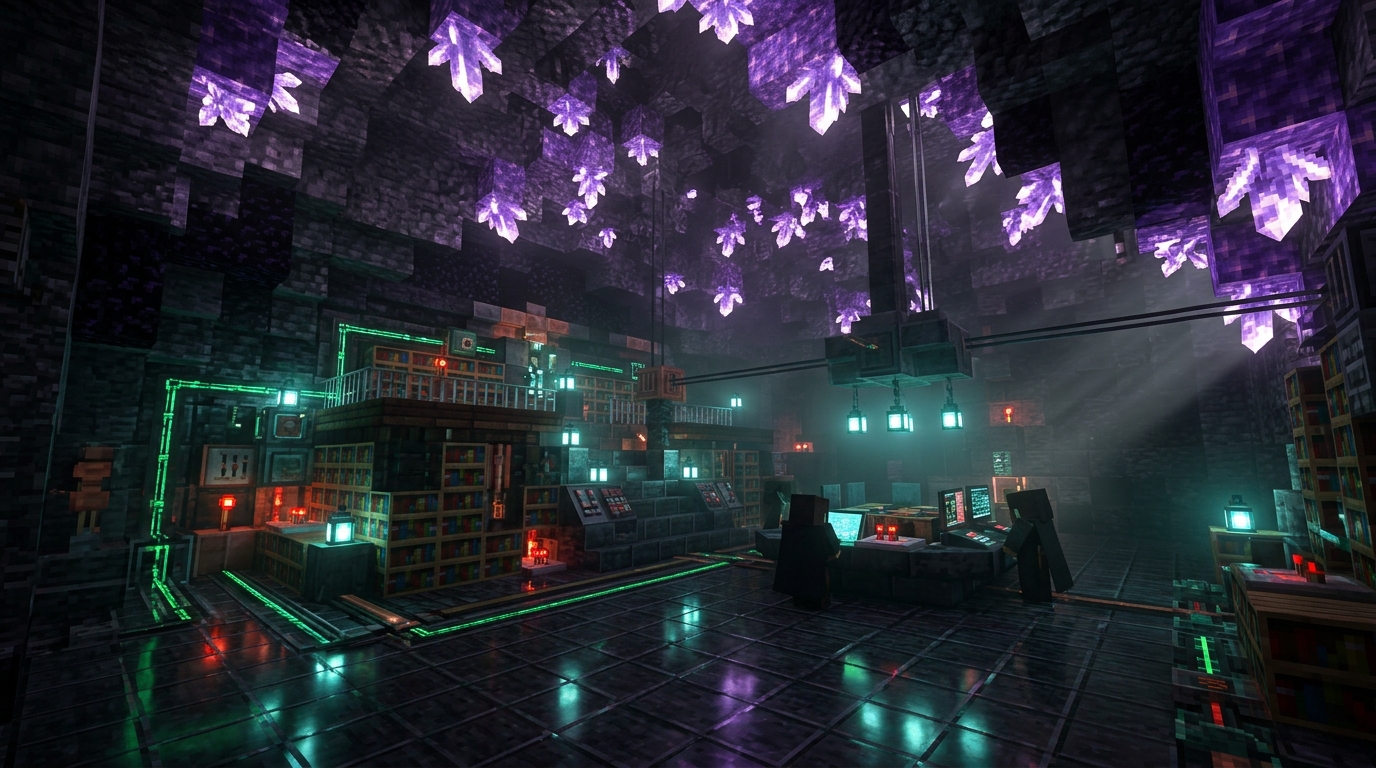
A vanilla or Paper 1.21+ SMP for 5–10 players runs smoothly on 4–6 GB RAM (never allocate over 12 GB without ZGC or G1GC tuning, or garbage collection pauses will drop TPS). Choose Paper/Purpur for plugin SMPs, Fabric + Lithium + FerriteCore for 100% vanilla redstone parity, and keep simulation-distance between 6 and 8 chunks.
1. Exact Server RAM Formula & Sizing Table
Most Minecraft 1.21+ server lag is blamed on insufficient RAM, yet over-allocating memory without tuning the Java Virtual Machine (JVM) causes worse stutter than running lean. Every 50 milliseconds (one game tick at 20 TPS), the server processes entity AI, chunk loading, redstone updates, and block ticks inside the JVM heap. When the heap grows too large, stop-the-world garbage collection (GC) sweeps freeze the main server thread for 200–800 ms, rubber-banding players and breaking precise redstone clocks.
Use this practical sizing formula to estimate your heap allocation (-Xms and -Xmx) before renting hardware or configuring a start script:
RAM (GB) = 2.0 (Base JVM + 1.21 World) + (Players × 0.35) + Mod/Plugin Margin + 1.0 (OS Headroom)Notice the OS Headroom term: never assign 100% of your machine or container memory to -Xmx. If your server has 8 GB of physical RAM, cap Java at 6G (or 6144M). Otherwise, the Linux OOM (Out-Of-Memory) killer will terminate the Java process the moment native off-heap memory, Netty network buffers, and SQLite/region caches spike.
| Server Tier | Concurrent Players | Recommended Java Heap (-Xmx) | CPU Priority | Typical Workload |
|---|---|---|---|---|
| Small Friends SMP | 2–6 players | 3–4 GB | 2+ fast threads (Ryzen / Xeon) | Vanilla, Paper, or light Fabric (Lithium) |
| Active Technical SMP | 6–15 players | 5–8 GB | 2–4 high-IPC threads | Paper/Purpur plugins, iron/gold farms, Elytra travel |
| Modded / Heavy Redstone | 10–25 players | 8–12 GB | 4+ high-clock threads | NeoForge, Create/Tech packs, multiple chunk loaders |
| Large Public Community | 30–60+ players | 12–16 GB (ZGC tuned) | Dedicated Ryzen 9 / Core i9 | Purpur + Folia/Proxy, custom worlds, anti-cheat |
Preserved Benefit vs. Explicit Trade-Off: Keeping heap allocation at 6–8 GB on Paper or Fabric keeps G1GC pause times under 25 ms while leaving room for OS page caching; the explicit trade-off is that simultaneous 5-player Elytra chunk generation in new 1.21 Trial Chambers can still saturate a single CPU thread regardless of how much RAM you add.
2. Paper vs Purpur vs Fabric vs Vanilla (1.21+)
Minecraft's single-threaded tick loop means your choice of server software impacts TPS far more than upgrading from 8 GB to 16 GB of RAM. In 1.21+, five server engines dominate survival multiplayer, each trading vanilla accuracy for raw performance or plugin support:
| Engine | 100% Vanilla Redstone? | Plugin / Mod Support | TPS Efficiency | Best Use Case |
|---|---|---|---|---|
| Vanilla (.jar) | Yes | Datapacks only | Low (1x) | Strict snapshots; never recommended for 5+ players |
| Fabric + Lithium | Yes (99.9% parity) | Server-side Fabric mods | High (2x–3x) | Technical SMPs, carpet mod, TNT dupers, strict farms |
| PaperMC | Modified by default | Bukkit / Spigot / Paper plugins | Very High (3x–4x) | Standard SMPs, permissions, grief protection, GeyserMC |
| Purpur | Configurable | All Paper plugins + extra YAML | Very High (3x–4x+) | Custom SMPs needing fine-grained entity & gameplay toggles |
| NeoForge / Forge | Mod-dependent | Content & overhaul mods | Medium | Heavy modpacks (Create, Applied Energistics, biomes) |
If your players build technical farms—such as TNT-duping cobblestone generators, Nether-roof gold farms, or precise 0-tick/piston contraptions—PaperMC changes vanilla behavior out of the box. By default, Paper patches headless pistons, TNT duplication, and bedrock breaking, and optimizes hopper/villager tick rates. You can restore some of these in config/paper-global.yml (for example, setting allow-piston-duplication: true and allow-headless-pistons: true), or you can run Fabric with Lithium, FerriteCore (cuts RAM usage by 30–40%), and C2ME for multi-threaded chunk generation while preserving exact vanilla mechanics.
3. View vs Simulation Distance Math
In server.properties, two integers dictate 70% of your server's CPU and RAM load: view-distance (chunks sent to clients for rendering) and simulation-distance (chunks around each player where entities, crops, redstone, and mob spawning actively tick). Many admins set both to 12 or 16 and wonder why 8 players crash the server.
Ticking Chunks = (2 × simulation-distance + 1)²Because chunk grids scale quadratically, increasing simulation-distance from 6 to 10 does not add 66% more work—it multiplies the ticking area per player from 13² = 169 chunks to 21² = 441 chunks (a 161% increase in active mob AI, hopper checks, and random ticks). With 10 players spread across the Overworld and Nether, that is the difference between 1,690 and 4,410 ticking chunks.
- Recommended SMP Sweet Spot: Set
view-distance=10(or12on Paper withno-tick-view-distance) so players enjoy scenic horizons, while keepingsimulation-distance=6or7so farms and mob caps stay crisp at 20 TPS. - Mob Spawning Note: Hostile mobs spawn within a 128-block Euclidean sphere (~8 chunks). Setting
simulation-distancebelow6can artificially compress mob farm rates unless you adjust per-player mob caps.
Use our Chunk & Simulation Distance Calculator to map exact chunk borders for your SMP base, and verify your farm AFK spots with the Mob Spawn Sphere Calculator. If your world save has grown past 20 GB from Elytra exploration, see our Chunk Borders & Region MCA Reset Guide to prune unused chunks safely.
4. Java 21, Aikar's Flags & Generational ZGC
Since Minecraft 1.20.5 and throughout 1.21+, Java 21 (64-bit) is mandatory. Running older Java 17 binaries will fail to launch, and using unflagged java -jar server.jar defaults to conservative heap sizing that stalls during chunk saves.
For servers allocated 4 GB to 12 GB, Aikar's G1GC Flags remain the battle-tested standard. Always set -Xms equal to -Xmx so the JVM claims its full heap on startup rather than resizing mid-game:
java -Xms6G -Xmx6G -XX:+UseG1GC -XX:+ParallelRefProcEnabled -XX:MaxGCPauseMillis=200 -XX:+UnlockExperimentalVMOptions -XX:+DisableExplicitGC -XX:+AlwaysPreTouch -XX:G1NewSizePercent=30 -XX:G1MaxNewSizePercent=40 -XX:G1HeapRegionSize=8M -XX:G1ReservePercent=20 -XX:G1HeapWastePercent=5 -XX:G1MixedGCCountTarget=4 -XX:InitiatingHeapOccupancyPercent=15 -XX:G1MixedGCLiveThresholdPercent=90 -XX:G1RSetUpdatingPauseTimePercent=5 -XX:SurvivorRatio=32 -XX:+PerfDisableSharedMem -XX:MaxTenuringThreshold=1 -jar paper-1.21.jar --noguiIf you run a heavily modded NeoForge or large community SMP with 12 GB+ RAM on Java 21+, Generational ZGC eliminates multi-hundred-millisecond stop-the-world pauses at the cost of slightly higher background CPU usage (around 5–10%):
java -Xms14G -Xmx14G -XX:+UseZGC -XX:+ZGenerational -XX:+AlwaysPreTouch -jar server.jar --nogui5. Home PC vs Dedicated SMP Hosting
Hosting an SMP on your spare desktop or a free tunneling tool looks attractive until your group scales past three players. Residential internet connections typically throttle upload bandwidth (causing chunk-loading timeouts when two players fly with Elytra), many ISPs place households behind CGNAT (blocking direct port forwarding on 25565), and exposing your home IPv4 address opens your home network to DDoS attacks.
On top of that, keeping a desktop running 24/7 draws 80–150W continuously, and your friends cannot log in whenever your PC reboots for OS updates. For groups that want 24/7 uptime, automated off-site backups, and one-click Paper/Purpur/Fabric switching without manually debugging port forwarding or Java flags, managed game hosting pays for itself in saved troubleshooting hours.
Once your server is online, polish your server list entry with our MOTD & Color Code Generator to preview hex gradients and formatting live before pasting into server.properties.
6. Key Takeaways
- Right-size your heap: Allocate 4–6 GB for 5–10 player Paper/Fabric SMPs, and always leave 1–2 GB of RAM free for the host OS.
- Match the engine to your players: Pick Fabric + Lithium + FerriteCore for 100% vanilla redstone/TNT parity, or Paper/Purpur for plugin ecosystems and Geyser Bedrock crossplay.
- Control quadratic chunk math: Keep
view-distance=10for visuals andsimulation-distance=6–7to cut ticking chunk load by over 50%. - Lock Java 21 flags: Use identical
-Xmsand-Xmxvalues with Aikar's G1GC flags (up to 12 GB) or Generational ZGC (12 GB+).
7. Frequently Asked Questions
Is 4 GB of RAM enough for a Minecraft 1.21+ SMP?
Yes, for 2 to 6 concurrent players running Paper, Purpur, or Fabric with Lithium and FerriteCore. If you add heavy world-gen mods, 10+ players, or multiple automated farms, step up to 6–8 GB.
Does PaperMC break vanilla farms in 1.21?
By default, yes—Paper disables TNT duplication, headless pistons, and alters some hopper/villager tick behaviors for performance. You can re-enable TNT duping in paper-global.yml, or use Fabric + Lithium for full vanilla parity.
Why does my server still lag at 20% CPU and 50% RAM?
Minecraft's core game loop runs primarily on a single CPU thread. A multi-core server showing 20% total CPU usage can still have 100% saturation on Core 0 due to entity pathfinding, unoptimized hopper arrays, or rapid Elytra chunk generation.
Should I allocate 16 GB RAM to a small 5-player server just to be safe?
No. Over-allocating RAM with default Java settings or G1GC lets garbage accumulate into massive multi-gigabyte sweeps, causing noticeable 1–2 second lag spikes when the JVM finally cleans the heap.
📚 Related Technical & Survival Guides
Chunk Borders, Region MCA Files & World Reset Guide
Visualize F3+G chunk grids, calculate Anvil region files (r.X.Z.mca) via bit-shifts, and safely prune unused world chunks using MCA Selector InhabitedTime filters.
Minecraft Crafter Guide: Auto-Crafting & Redstone
Master the 1.21 Crafter block: 0-9 comparator signal math, hopper slot-filling priority, anti-overflow redstone circuits, and compact iron/bamboo/firework factories.
Minecraft Chunk Borders (16×16), Simulation Distance & 128-Block Despawn Spheres
Why AFK spot height makes or breaks mob farm rates: understanding the 24–128 block Java spawn sphere vs Bedrock r44 mechanics.