Minecraft Screen Time & Bedtime Battles: Why Kids Can't Just Quit and How to End Tantrums
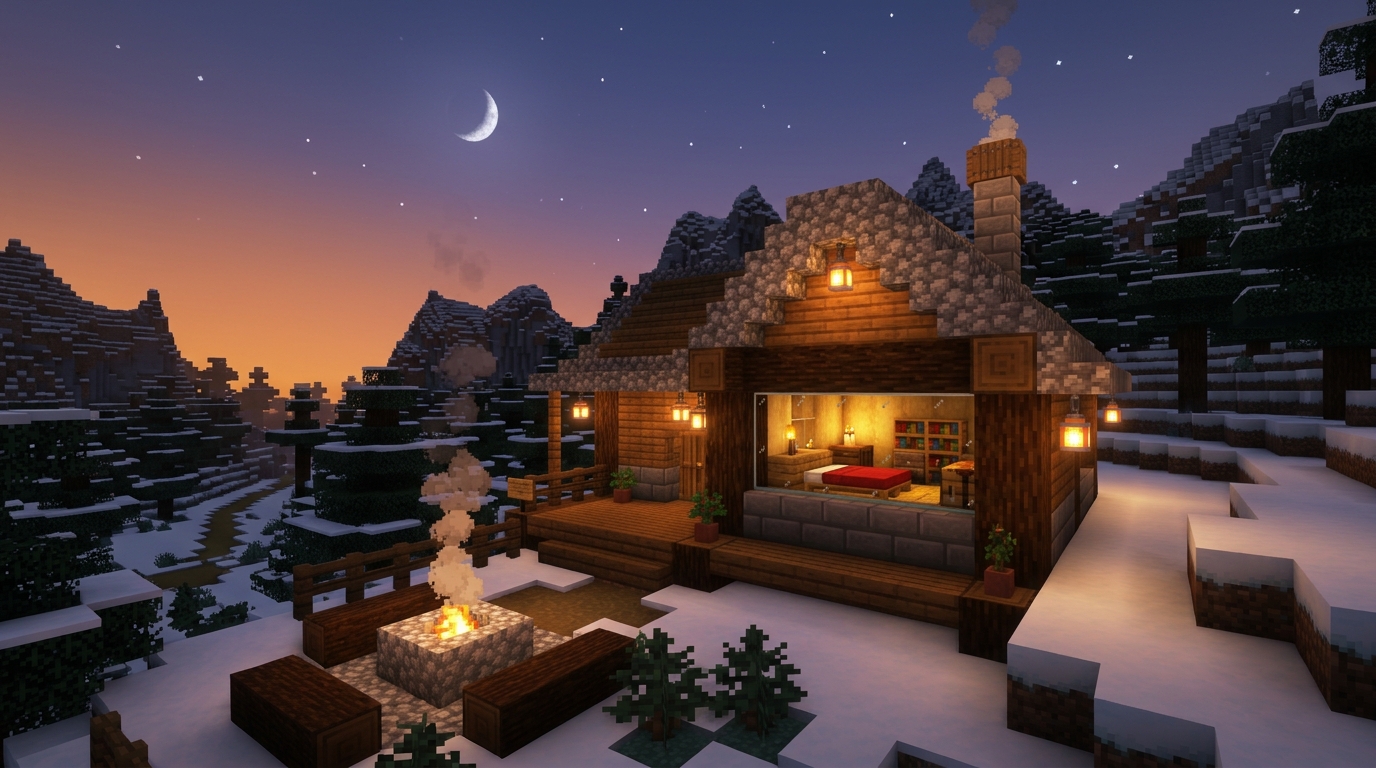
When your child screams 'I can't quit right now!', it's rarely defiance — it's game mechanics. In Minecraft multiplayer (and Bedrock singleplayer), pressing ESC does NOT pause the game; walking away exposes them to hostile mobs, lava, and permanent item loss under a brutal 5-minute despawn timer. Solve bedtime battles with a 2-minute 'Safe Bunker' routine, anchor limits to 20-minute in-game day/night cycles, and enable the /gamerule keepInventory true command for younger players.
1. The Anatomy of an Outburst: Why "Turn It Off Now" Triggers Panic
It is 8:30 PM on a school night. Dinner is ready, homework is waiting, or bedtime is already ten minutes overdue. You walk into your child's room and issue a standard parental instruction: "Dinner is on the table, shut down the computer right now."
Instead of a calm "Okay," your child gasps, their eyes widen in visible terror, and they scream back: "No! Wait! I can't! Give me two minutes!"
To most parents, this reaction registers as disrespect, defiance, or alarming screen addiction. You repeat the command louder. They panic further, clutching the mouse with white knuckles. If you reach over and yank the power cord, shut the laptop lid, or flick off the power strip, total emotional meltdown erupts: uncontrollable tears, screaming, and an evening ruined by mutual resentment.
Here is the critical reality every parent must understand: your child was not defying your authority—they were trying to prevent a catastrophic loss of weeks of creative work. To understand why an abrupt shutdown feels like an emergency to an eight- or eleven-year-old, we have to look past the screen and examine the underlying technical mechanics of Minecraft.
Parental Request: "Instant Quit" ➔ Game State: Unsafe Environment ➔ Abrupt Shutdown = Permanent Loss of 30+ Hours of Progress ➔ Emotional Meltdown
2. The Hidden Game Mechanics Parents Don't Know (No Pause & 5-Min Despawn)
Traditional video games (like Super Mario or singleplayer console titles) have a straightforward contract: you hit the Pause button, the game freezes completely, and you can safely walk away for dinner. Minecraft does not work this way in the vast majority of scenarios kids play today.
A. There Is No True Pause in Multiplayer or Bedrock Edition
If your child is playing in any of the following modes, pressing ESC or opening the menu DOES NOT pause the world:
- Any Multiplayer Server: Whether playing on public minigame networks (like Hypixel), a school friend's private server, or an SMP (Survival Multiplayer).
- Family LAN Worlds: Playing with siblings or parents across local Wi-Fi or via tunnel mods like e4mc / Essential.
- All Bedrock Editions: If they play on an iPad, Nintendo Switch, PlayStation, Xbox, Android, or Windows Bedrock, the game runs on a continuous background tick. Even in singleplayer, opening the pause menu leaves the character vulnerable to the living world.
If a child stands up and walks away while standing in a dark cave, a forest, or near a village, hostile monsters (mobs) will spot them, walk over, and kill their character within 15 to 45 seconds.
B. The 5-Minute Despawn Timer and Lava Destruction
When a character dies in Minecraft, their entire inventory—armor, tools, building materials, rare ores, and collected items—bursts out and scatters across the ground as physical items. At that exact millisecond, two brutal mechanics activate:
- The 300-Second Despawn Clock: In active (loaded) chunks, dropped items have an unyielding lifespan of exactly 5 minutes (300 seconds). If the player does not return to the exact coordinates of their death before the clock runs out, every single item permanently vanishes from the world forever.
- Lava and Fire Annihilation: If the character dies near lava (the primary hazard when mining underground for diamonds or ancient debris in the Nether), non-netherite gear is instantly incinerated in 0.5 seconds.
To an adult, losing items in a game might sound trivial. But in Minecraft survival, assembling a full set of enchanted diamond or netherite gear, obtaining rare enchantments like Mending, and gathering building supplies can take 30 to 50 hours of patient, focused effort. Forcing an abrupt shutdown while a child is 500 blocks away in a dangerous ravine is the psychological equivalent of walking over to their school art project and ripping it in half because dinner is warm.
| Platform / Mode | Does ESC / Menu Pause? | What Happens If You Walk Away? | Risk Level |
|---|---|---|---|
| Java Edition (Solo Singleplayer) | Yes (World ticks freeze) | 100% Safe (Game is completely suspended) | Zero |
| Java Edition (LAN / Friends / SMP) | NO (Ticks continue running) | Monsters spawn, attack, and kill idle player | Critical |
| Bedrock Edition (Switch, iPad, Xbox, PC) | NO (No pause by default) | Character starves, drowns, or gets killed by mobs | Critical |
| Public Servers (Hypixel, CubeCraft) | NO (Persistent server) | AFK kick, match loss, or death in survival | High |
3. Real Minutes vs. In-Game Days: The 20-Minute Cycle
Why do real-world timers (like setting a kitchen timer for "15 minutes") often backfire? Because human minutes do not sync with the natural rhythm of Minecraft's environment. The game operates on a strict mathematical clock based on internal game ticks (20 ticks per second):
| Cycle Phase | Game Ticks | Real-World Duration | Environmental Threat Level |
|---|---|---|---|
| Daytime | 12,000 ticks | 10.0 minutes | Low. Skeletons and zombies burn in sunlight. Safe for building and foraging. |
| Sunset (Dusk) | 1,800 ticks | 1.5 minutes | Medium. Light levels drop below threshold. The sky turns amber. |
| Nighttime | 8,400 ticks | 7.0 minutes | Severe. Pitch darkness (Light level 0). Hostile mobs spawn within 24–128 blocks. |
| Sunrise (Dawn) | 1,800 ticks | 1.5 minutes | Transition. Hostile mobs start combusting under direct daylight. |
| Total Day/Night Cycle | 24,000 ticks | 20.0 minutes | Full astronomical loop in vanilla Minecraft. |
If you set a rigid 15-minute timer on your smartphone, there is a 50% probability that your alarm will ring right in the middle of a perilous, monster-infested night cycle while your child is miles away from shelter. Forcing an exit at that exact moment creates unnecessary panic. Aligning boundaries with in-game cycles eliminates the friction.
4. The 2-Minute "Safe Bunker" Protocol: Exit Without Losing Gear
The solution to bedtime drama is not letting kids play indefinitely, nor is it draconian power-plug pulling. The solution is establishing a mutual agreement called the 2-Minute Safe Bunker Protocol. Teach your child this exact emergency drill so they can secure their avatar and log off calmly whenever you call time:
1. Stop Exploring ➔ 2. Box In (3×3 Dirt/Stone) ➔ 3. Place 1 Torch ➔ 4. Sleep in Bed (or Safe Disconnect) ➔ Total Time: 60 to 90 seconds
- Step 1: Immediate Freeze (Stop Exploring): The moment the parent announces "Two-minute warning!", the child must immediately stop venturing deeper into caves or starting new construction projects.
- Step 2: The Emergency Dirt Box: If far from home, the player looks at the ground, jumps, and builds a completely enclosed 3×3 or 1×2 box of dirt, cobblestone, or netherrack around themselves. With solid blocks on all four sides and above their head, no zombie, skeleton, spider, or creeper can reach them.
- Step 3: Place One Torch: Hostile mobs in modern Minecraft (1.18+) can only spawn in absolute darkness (Block Light Level 0). A single torch provides light level 14, making the inside of the bunker 100% monster-proof.
- Step 4: Set Spawn Point (If near a bed): Right-clicking a bed sets the player's personal spawn anchor and resets phantoms. If in singleplayer, sleeping skips the dangerous night instantly.
- Step 5: Clean Exit: Press
ESC➔ click "Save and Quit to Title" (or "Save & Quit" in Bedrock). The character disconnects cleanly from the server. When they log back in tomorrow, they will be safe inside their protected cocoon.
5. Replacing "5 More Minutes" with Visual In-Game Milestones
Children under the age of 14 experience what cognitive scientists call time blindness during immersive video game play. Minecraft puts players into a state of deep psychological flow (hyperfocus). To a child engrossed in designing a redstone door or mining an iron vein, five real-world minutes genuinely feel like twenty seconds. Telling them "You have five minutes" is an invitation to conflict because they cannot accurately gauge the passing of that time.
Instead, replace abstract minutes with tangible in-game finish lines:
- ❌ "You have 5 more minutes, then turn it off." (Vague, triggers sudden panic when the alarm sounds).
- ✅ "Mine the rest of this coal vein, walk back up to your cabin, and put your iron into the furnace."
- ✅ "Finish this row of crops, sleep in your bed to make it morning, and log off."
- ✅ "When the current in-game sun sets, hop into bed and close the game."
By framing the conclusion around an achievable game objective, the child's brain gets a sense of completion and closure. They don't feel interrupted; they feel like they successfully wrapped up their work session.
6. The keepInventory Gamerule: Sanity Saver for Families
If you have children between the ages of 6 and 11, there is a single vanilla game command that will eliminate 90% of household gaming tears, tantrums, and bedtime meltdowns: enabling keepInventory.
By default, Minecraft operates under a punishing survival death penalty: you die, you lose all items in your pockets. For young players, this creates intense ambient anxiety. One misstep into a pit of lava means all their tools and armor vanish.
/gamerule keepInventory true
When this rule is enabled:
- If the player falls off a cliff, drowns, or gets defeated by a zombie, they respawn back at their cozy bed with 100% of their armor, tools, and inventory intact.
- If an emergency arises and they must shut down instantly without time to build a bunker, dying while AFK has zero consequence—they lose nothing.
- How to enable it:
- Java Edition: Press
ESC➔ Open to LAN ➔ Toggle Allow Cheats: ON ➔ PressEnter. Then pressTto open chat, type/gamerule keepInventory true, and press Enter. - Bedrock Edition (Switch, iPad, Xbox, PC): Pause ➔ Settings ➔ Game ➔ Scroll down to Cheats ➔ Turn on Activate Cheats ➔ Toggle Keep Inventory to ON. (Note: On Bedrock, enabling cheats disables Xbox achievements for that specific world, which is a worthwhile trade-off for family peace).
- Java Edition: Press
7. Setting Up Device Time Limits (Windows, Xbox, Switch & Mac)
Verbal agreements work best when supported by automated, unemotional system limits. When the computer or console manages the countdown, you stop being the "bad guy" who cuts off the fun; the machine simply follows the family house rules.
| Operating System / Console | Recommended Tool | Key Setting to Enable | Parent Strategy |
|---|---|---|---|
| Windows 10 / 11 & Xbox | Microsoft Family Safety | Screen Time Limits + 15-Minute Expiration Warning | Set daily allowance (e.g. 1.5 hrs). Kids can request an extra 15 minutes via 1-click notification to your phone. |
| Nintendo Switch | Nintendo Switch Parental Controls App | "Alarm Only" mode (instead of Suspend Software) | An on-screen icon alerts the child that time is up, allowing them 2 minutes to execute the Safe Bunker drill before manual shutdown. |
| Apple macOS / iPadOS | Apple Screen Time & Family Sharing | App Limits + "Ask for More Time" | Set a dedicated category limit for Games. The system prompts with a 5-minute warning before lockdown. |
Always pair automated limits with a 15-minute advance notification. Sudden black screens or forced lockouts without warning trigger the exact same panic as pulling the cord.
8. Key Takeaways for Peaceful Evenings
- Acknowledge the stakes: Understand that in multiplayer and Bedrock, pressing ESC does not pause the world. Walking away can destroy weeks of gathered resources.
- Practice the 2-Minute Bunker drill: Teach your child to enclose themselves in a 3×3 dirt box with a torch whenever you give the 2-minute warning.
- Give in-game milestones: Replace arbitrary "5 more minutes" with clear finish lines like "mine this vein, sleep in bed, and log off."
- Turn on keepInventory: For kids under 12, use
/gamerule keepInventory trueto remove catastrophic death penalties and eliminate panic. - Give a 15-minute heads-up: Announce dinner or bedtime 15 minutes in advance so your child can finish their current expedition and return to base.
9. Frequently Asked Questions (FAQ)
Why can't my child just press Pause like in other games?
In Minecraft multiplayer, on servers, and across all Bedrock editions (Nintendo Switch, iPad, consoles), the world runs on a continuous background tick. The game cannot freeze for one player without freezing the universe for everyone else. Pausing only exists in solo Java Edition singleplayer.
What happens if I just shut down the computer while they are playing?
If they are on a server or Bedrock LAN world, their avatar stays in the world for several seconds before timing out. If they are in combat, underwater, or in lava, they will die. When they rejoin, their items will either be incinerated or ticking on the 5-minute despawn clock. Abrupt shutdowns can also corrupt local singleplayer save files if the game was actively writing chunk data to disk.
Is keepInventory considered "cheating"?
In competitive communities, yes. But in a family survival world, gaming should foster joy, creativity, and resilience—not traumatic losses before bedtime. Many mature SMP servers and parents consider keepInventory an essential accessibility setting for younger players.
How long should a healthy Minecraft session be for an 8-to-10 year old?
Child development experts generally recommend 60 to 90 minutes on school days. In Minecraft terms, 60 minutes equals exactly three full 20-minute in-game day/night cycles, which provides a natural rhythm for starting projects, exploring, and wrapping up.
📚 More Family & Safety Guides
How to Safely Install Minecraft Mods for Kids: A Parent's Guide (No Viruses)
A practical guide for parents on safely installing Minecraft mods, shaders, and resource packs. Discover verified catalogs like Modrinth and CurseForge, isolated modern launchers, and essential digital safety rules to prevent malware.
How to Play Minecraft Together: LAN, e4mc & Family Server
4 safe, free ways to play Minecraft with your child or friends without paying for Realms: local Wi-Fi Open to LAN (plus firewall fixes), e4mc, Essential Mod, and Bedrock crossplay.
Minecraft Parental Controls: How to Keep Kids Safe & Disable Purchases
Step-by-step setup guide for Microsoft Family Safety, chat restrictions, blocking unverified multiplayer servers, and preventing accidental Minecoin transactions.